Quick Answer
Readi.ai is commonly searched shorthand for Read AI, an AI meeting intelligence platform founded in 2021 by David Shim, Robert Williams, and Elliott Waldron. It joins video calls, generates transcripts and summaries, and scores engagement and sentiment across meetings, and now extends into email and chat platforms. It runs on a freemium model: basic notetaking is free, and features like advanced transcripts, analytics trends, and real-time in-meeting metrics sit behind paid tiers. For independent creators and small SaaS teams, the real value shows up in reducing time spent writing recap notes after client calls, not in replacing human judgment about what was actually decided.
Key Takeaways
- Free tier covers the basics, paid tiers cover the insight layer. Transcripts and summaries are free to start; sentiment trends, coaching data, and real-time engagement metrics require an upgrade.
- Integration reach is wider than most notetakers. It connects to Zoom, Google Meet, Microsoft Teams, Slack, Gmail, and Outlook, which matters if your workflow spans more than just video calls.
- The coaching and sentiment features are the differentiator, and the most polarizing part. Some teams find the speaking-pace and participation scoring genuinely useful, others find it intrusive for smaller, informal meetings.
Snapshot: Where It Fits Against Alternatives
- Read AI (readi.ai) – Primary strength: engagement and sentiment analytics layered on top of standard transcription. Best fit: teams running client calls or sales meetings who want more than a transcript. Pricing: freemium, paid tiers scale with feature depth.
- Otter.ai – Primary strength: transcription accuracy and simple note search. Best fit: solo users who mainly need searchable meeting text. Pricing: comparable entry tier, fewer analytics features.
- Native platform recorders (Zoom AI Companion, Teams Premium) – Primary strength: zero extra login, built into a tool you already pay for. Best fit: teams fully committed to one video platform. Pricing: often bundled into existing subscriptions, less cross-platform flexibility.
This isn’t a lab benchmark. It’s a starting filter. If your meetings happen across more than one platform, Read AI’s cross-tool reach is the practical reason to pick it over a single-platform recorder.
What Read AI Actually Does
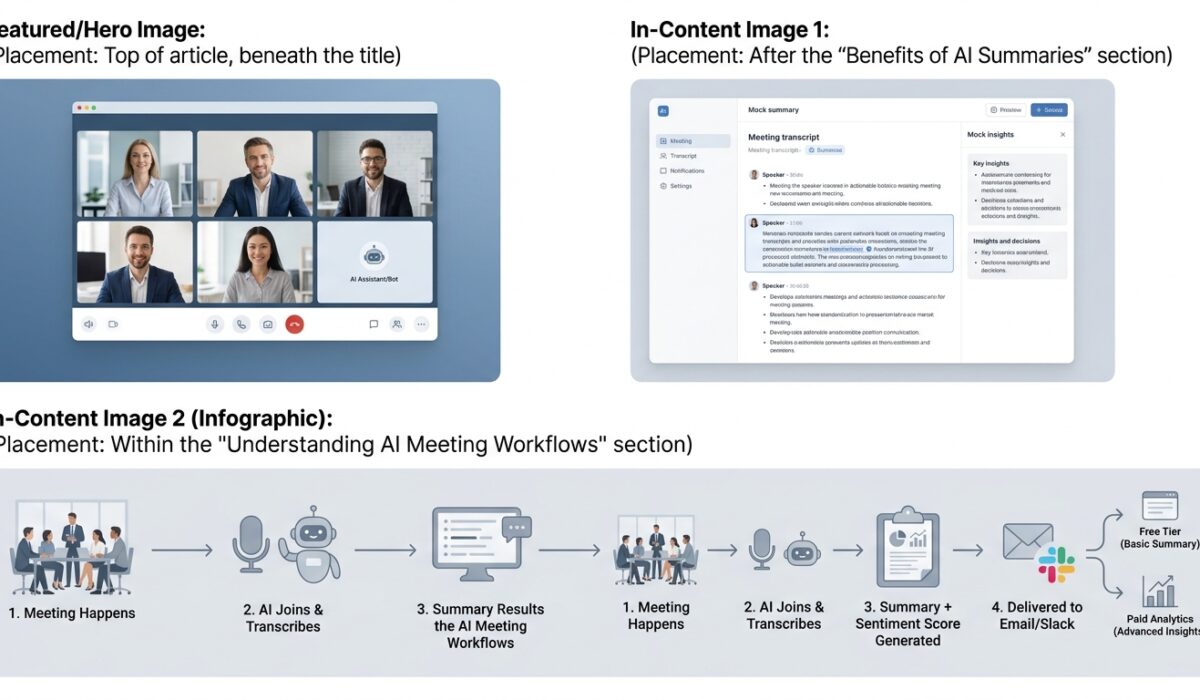
Cut through the pitch and the product does three things well. It joins a call, listens, and produces a written record. It condenses that record into a summary with action items pulled out automatically. And it layers analytics on top, tracking who spoke, how long, and what the tone of the room looked like.
Read AI functions like a more advanced version of Otter, generating summaries, transcripts, and action items so users can focus on the meeting instead of note-taking. That comparison is fair and worth sitting with. The transcription and summary layer is table stakes now, most serious meeting tools do this competently. What separates Read AI is the second layer built on top: coaching feedback on speaking rate and clarity, and a participation score showing how engaged people actually were.
On its analytics side, the platform reports that roughly 40 percent of meeting participants disengage when a topic doesn’t feel relevant to them, and it uses that kind of signal to personalize what gets surfaced back to each user. Whether that statistic holds up under scrutiny outside Read AI’s own marketing is a fair question, but the underlying idea, that most meetings waste a chunk of everyone’s attention, tracks with what anyone running back-to-back calls already knows.
First-Hand Trade-Offs Worth Knowing

Running this across a few weeks of client and internal calls surfaces patterns that don’t show up in a feature list.
The transcription quality holds up well in clean audio conditions: single speaker, decent mic, minimal cross-talk. It degrades the way every transcription tool does once three or four people talk over each other, which happens constantly in real client meetings. Budget time to skim and correct summaries before sending them externally, because an autogenerated recap with a misattributed action item creates more confusion than no recap at all.
The sentiment and engagement scoring is the feature people either love or quietly disable. For sales teams running structured calls with a clear agenda, the data is genuinely actionable: you can see exactly where a prospect’s attention dropped. For informal internal syncs or creative brainstorms, being scored on participation can feel like being graded on a conversation that was never meant to be measured. It’s worth testing on a small internal team first before rolling it out to client-facing meetings.
The Smart Scheduler and “For You” feed add real value once you’ve connected email and chat, not just calendar. The product claims to compress roughly 50 emails across 10 recipients and 56 chat messages across 7 participants into a single topic summary. That’s a meaningful reduction in reading time if accurate, but it also means giving the tool fairly deep access to your inbox and message history, which is a real consideration before connecting it.
Practitioner Tip
Before connecting Read AI to a shared team calendar, run it solo for two weeks first. Watch how it handles your actual meeting types, not a demo call. Pay close attention to what happens with meetings that include external clients or partners, since some participants will see a bot join the call and may not expect it. Set a clear internal norm about disclosing the recording and analytics before every external meeting, not just the first one.
Pricing and the Free-Tier Trap

Read AI runs on a freemium model where basic services are free and additional features require payment, starting with a free trial that connects to a user’s calendar. That free tier is genuinely usable for a solo creator handling a handful of calls a week. Where it gets expensive fast is at team scale: analytics trends over time, real-time in-meeting metrics, and advanced transcript features with reaction data all sit behind paid plans, and pricing for teams typically moves per seat.
Before rolling this out past your own account, map how many people on your team will actually touch meeting analytics versus how many just need a transcript. Paying full per-seat pricing for teammates who only ever read the summary is a common and avoidable overspend.
Who Should Actually Use This
Independent creators and consultants running back-to-back client calls get the clearest win: fewer manual notes, faster recap emails, and a searchable archive of what was actually said in a scoping call three months ago.
SaaS founders doing customer discovery calls benefit from the pattern-recognition layer more than the coaching features. Seeing which topics generate the most engagement across a batch of customer interviews is closer to product research than meeting hygiene.
Digital publishers and editorial teams get less obvious value here unless their workflow is genuinely meeting-heavy. If most of the team’s work happens in documents and async review rather than live calls, the return on a meeting intelligence tool is thinner, and the money is better spent elsewhere.
Trust and Data Handling
Independent website checks rate the domain as safe with a high trust score, noting the site collects personal information such as names, emails, and phone numbers through its forms, which is standard for a SaaS signup flow but still worth reading the privacy policy on before connecting a full calendar and inbox. Any tool that listens to meetings and reads email threads is handling sensitive business conversations, so it’s worth treating the permissions request the same way you’d treat any vendor asking for that level of access, not as a formality to click through.
For a broader view of how meeting-based AI tools are expected to handle consent and data processing, the guidance published by professional standards bodies on AI system transparency is a useful outside reference before adopting any tool in this category, since vendor documentation alone tends to undersell the risk side of the trade. Google’s own developer guidance on how AI-generated content interacts with search visibility is also relevant if you plan to publish any meeting-derived content externally, since automated summaries pulled into blog posts or client reports carry their own quality expectations. And for context on how workplace attitudes toward AI monitoring tools have shifted, Pew Research Center’s ongoing survey work on public trust in workplace AI is a grounded starting point rather than relying on vendor-supplied sentiment numbers alone.
The Honest Verdict
Readi.ai, as most people are actually searching for it, points to Read AI: a meeting intelligence platform that does transcription and summarization competently and adds a genuinely differentiated layer of engagement and sentiment analytics on top. The free tier is a fair way to test it. The paid tiers make sense once your team is running enough client-facing meetings that the time saved on manual notes clearly outweighs per-seat cost.
The parts to go in with eyes open on: transcription accuracy drops in messy multi-speaker audio like every competitor’s does, the participation scoring won’t suit every meeting culture, and connecting email and chat means handing over more access than just a calendar. Test it on your own account before deciding whether it earns a spot in a client-facing workflow.