Quick Answer
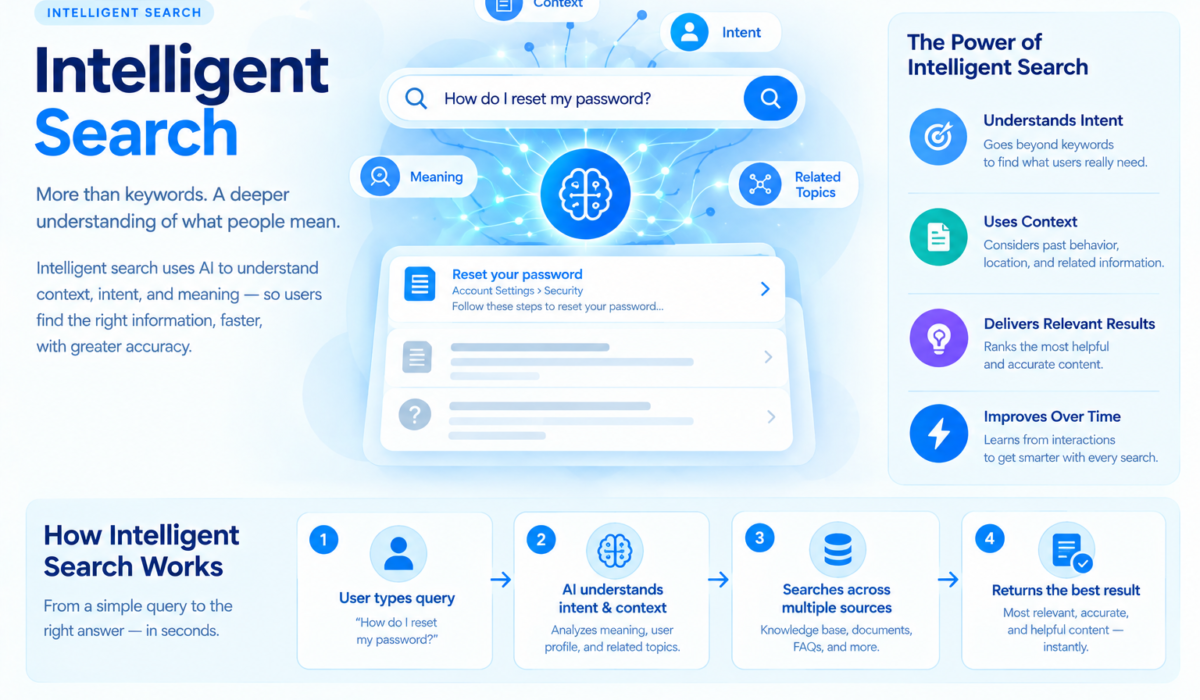
Intelligent search combines keyword matching with semantic understanding, typically using vector embeddings, to return results based on meaning rather than exact text. For independent creators and small SaaS teams, the practical path is a hosted or open-source search engine with built-in vector support (Typesense, Meilisearch, or Algolia), paired with an embedding model to convert content into searchable vectors. Expect setup time of a few hours to a few days depending on catalog size, and monthly costs ranging from free self-hosted tiers to several hundred dollars for managed plans at scale.
Why keyword search stopped being good enough
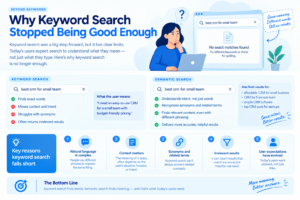
A visitor searching “shoes for standing all day at work” is not going to find much on a site that only matches exact keywords, unless someone happened to write that exact phrase in a product description. Intelligent search closes that gap by converting both the query and the content into numerical vectors, then measuring how close those vectors sit to each other in meaning space. The query does not need to share a single word with the result for the match to be correct.
This shift matters more for small teams than large ones. A big retailer can afford to hand-tune synonym lists and manually curate top search results. An independent creator with three hundred blog posts, or a SaaS founder with a sprawling help center, cannot. Intelligent search does that curation automatically, and it degrades far more gracefully when your catalog changes.
Key Takeaways
- • Hybrid beats pure vector: combining keyword filtering with semantic ranking outperforms either method alone for most content sites.
- • Re-indexing cost is the hidden budget item: every time your embedding model changes, your entire catalog needs to be re-vectorized.
- • Latency compounds with catalog size: vector search that feels instant at 10,000 items can slow noticeably past a few million without proper indexing.
The three layers every intelligent search stack has
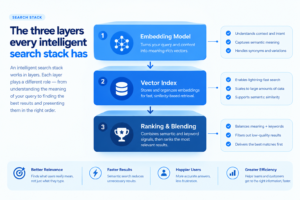
Regardless of which vendor or open-source project you pick, the architecture tends to break into three layers.
The first layer is the embedding model. This is what turns text (or images, in some setups) into a vector. Options range from OpenAI’s and Cohere’s hosted embedding APIs to open models you can run yourself, such as those from the Sentence-Transformers project. The choice here affects both cost and quality, and it is the layer most people underestimate when budgeting a project.
The second layer is the vector index itself, the data structure that stores those vectors and makes approximate nearest-neighbor lookups fast. This is where tools like Pinecone, Weaviate, Qdrant, and pgvector for Postgres live. Some of these are purpose-built vector databases. Others bolt vector search onto an existing database you already run, which cuts operational overhead considerably.
The third layer is ranking and blending. Pure vector similarity is not always what a user wants. A hybrid system blends keyword relevance (often via BM25, a decades-old ranking algorithm) with vector similarity, then applies business rules such as recency boosts or inventory availability. Getting this blend wrong is the single most common reason intelligent search projects disappoint after launch. Teams ship the vector layer, skip the blending step, and end up with search that finds conceptually related results while missing an obvious exact match sitting right there in the catalog.
Practitioner Tip
Log every query alongside which result the user actually clicked. After two or three weeks you will have a real dataset of what “relevant” means for your specific audience, and that dataset is worth more than any off-the-shelf ranking tweak. Most teams skip this step and end up guessing at relevance forever.
Choosing a stack without overbuilding
For a solo creator or a small SaaS team, the honest recommendation is to avoid standing up a raw vector database plus a separate embedding pipeline plus a custom ranking layer. That is a fine architecture for a team with dedicated infrastructure engineers. It is a time sink for everyone else.
Meilisearch and Typesense both now ship hybrid search out of the box, meaning keyword and vector ranking in a single self-hosted binary with a manageable configuration surface. Algolia offers the most polished managed experience with the least setup friction, at a meaningfully higher price once you cross free-tier limits. For teams already running Postgres, pgvector lets you add semantic search without introducing a new database into the stack at all, which simplifies backups, monitoring, and access control.
| Tool / Criterion | Primary Strength | Setup Effort | Typical Monthly Cost |
|---|---|---|---|
| Algolia | Fastest time-to-launch, polished dashboard | Low | Free tier, then usage-based pricing |
| Typesense | Open source, self-hostable, built-in hybrid search | Medium | Free self-hosted; managed cloud tiers available |
| Meilisearch | Simple API, strong developer experience | Medium | Free self-hosted; managed cloud tiers available |
| pgvector (Postgres) | No new database to operate, works with existing SQL | Medium-High | Cost of your existing Postgres hosting |
| Pinecone / Weaviate | Purpose-built vector scale, strong for millions of records | High | Free tier limited; scales with vector count |
Exact pricing and free-tier limits change often, so check each provider’s current pricing page before committing rather than relying on any figure printed in an article.
What actually breaks in production
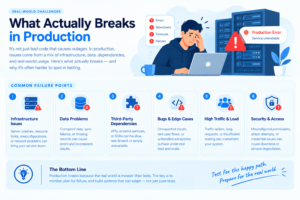
The failure modes I run into most are not exotic. Embedding drift is one: if you switch embedding models later, every vector in your index becomes incompatible with new query vectors, and you have to re-embed the entire catalog from scratch. Budget for this before it happens, not after.
Stale indexes are another. If your content updates and your search index does not update alongside it, users start finding pages that no longer exist or missing pages that just went live. This is solved with either a webhook-triggered reindex on content change, or a scheduled batch reindex, but it has to be solved deliberately. Nobody notices a broken search index until a customer complains that they searched for a product you clearly sell and got nothing.
Cold-start relevance is the third. A brand-new intelligent search deployment has no click data to learn from, so its first few weeks of ranking quality tend to be mediocre regardless of how good the underlying model is. Set expectations with stakeholders accordingly, and resist the urge to declare the project a failure in week one.
Search accessibility deserves a mention too. The Web Accessibility Initiative guidelines cover how search interfaces, including autocomplete and result announcements, need to work for screen reader users, and it is worth checking your implementation against them before launch rather than retrofitting later.
Search behavior is shifting, and it affects SEO strategy too
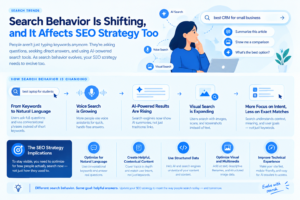
The way people search is not static, and this has downstream effects on how content should be written and structured. Pew Research’s ongoing surveys on internet and technology use track how query behavior has moved toward longer, more conversational phrasing over the past several years, which is exactly the kind of query that keyword-only search struggles with and semantic search handles well.
On the publishing side, this matters for how content gets structured for discovery, both on-site and through external search engines. Google Search Central’s developer documentation outlines how structured content, clear headings, and direct answers near the top of a page help both crawlers and AI-generated overview summaries surface the right passage. The same structural discipline that helps external search engines find your content is the discipline that makes your own internal intelligent search perform better, because both systems are ultimately parsing meaning, not just text.
A realistic rollout plan
Start narrow. Pick one section of your site, your help center or your blog archive, and stand up hybrid search there before rolling it out everywhere. Instrument click-through data from day one, even if you are not using it yet, because you cannot go back and collect it retroactively.
Run the old keyword search and the new intelligent search side by side for a couple of weeks if your platform allows an A/B split. The uplift in click-through rate on search results is usually visible within days once semantic matching is working correctly, and having that comparison data makes budget conversations with stakeholders much easier later.
Expect to revisit your ranking blend at least once after initial launch. The default weighting between keyword and vector relevance that ships with any tool is a generic starting point, not a tuned setting for your specific content. Plan a review cycle at the four-to-six week mark once real query data has accumulated.
Where this is heading
Intelligent search is converging with retrieval-augmented generation, where the search layer does not just return a list of links but feeds relevant passages directly into an AI-generated answer. If you are already building semantic search infrastructure, you are most of the way to also supporting an on-site AI assistant that answers questions using your own content, which is a natural next feature for documentation sites, knowledge bases, and content-heavy publications.
The technical foundation is the same in both cases: clean content, solid embeddings, and a ranking layer that understands your specific audience’s intent. Get that foundation right first, and the more advanced features become incremental additions rather than separate projects.