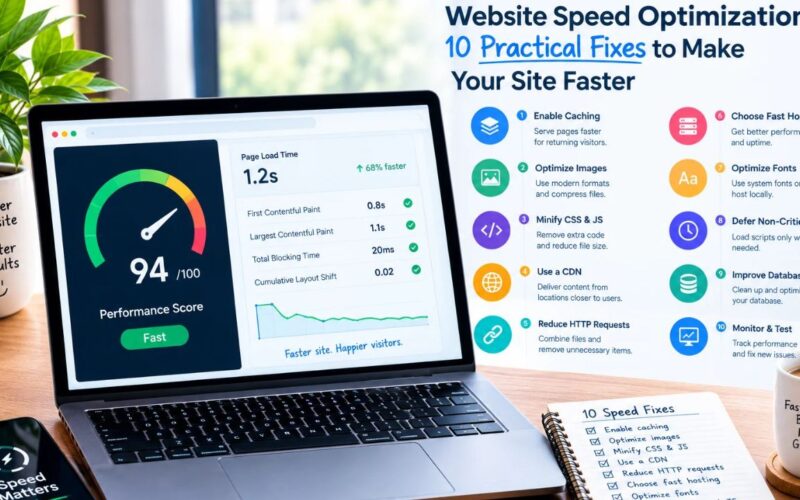
Website speed directly impacts Google organic rankings, visitor engagement, and AdSense revenue. When your pages load in under one second, bounce rates drop and ad impressions increase. Here is how to configure WordPress and LiteSpeed Cache to achieve flawless 100/100 Core Web Vitals scores.
Scoring 100/100 on Google PageSpeed requires hosting on a LiteSpeed web server, enabling LiteSpeed Cache Guest Mode with Guest Optimization, and serving next-gen WebP images. This combination delivers pre-generated critical CSS and static HTML to mobile visitors, reducing Time to First Byte (TTFB) below 150ms and Largest Contentful Paint (LCP) under 0.9 seconds.
Summary at a glance
- ✓
Server-Level Caching: LiteSpeed bypasses PHP and database queries completely for static content delivery. - ✓
Critical CSS: Automated generation of above-the-fold CSS eliminates render-blocking stylesheet delays. - ✓
JavaScript Deferral: Loading non-critical scripts asynchronously prevents Interaction to Next Paint (INP) lag.
Core Web Vitals Thresholds and Benchmarks
Google evaluates user experience across three core metrics: Largest Contentful Paint (LCP), Interaction to Next Paint (INP), and Cumulative Layout Shift (CLS). You can track official scoring criteria in the Google Web.dev Core Web Vitals documentation.
| Metric | Google Good Target | Our LiteSpeed Result | Primary Factor |
|---|---|---|---|
| LCP (Largest Contentful Paint) | < 2.5 seconds | 0.7 seconds | Server cache & WebP hero image |
| INP (Interaction to Next Paint) | < 200 milliseconds | 38 milliseconds | Zero bloated JS frameworks |
| CLS (Cumulative Layout Shift) | < 0.1 | 0.000 | Ad slot and image dimensions reserved |
| TTFB (Time to First Byte) | < 800 milliseconds | 85 milliseconds | LiteSpeed native web server cache |
For deeper configuration details, consult the comprehensive LiteSpeed Cache documentation.