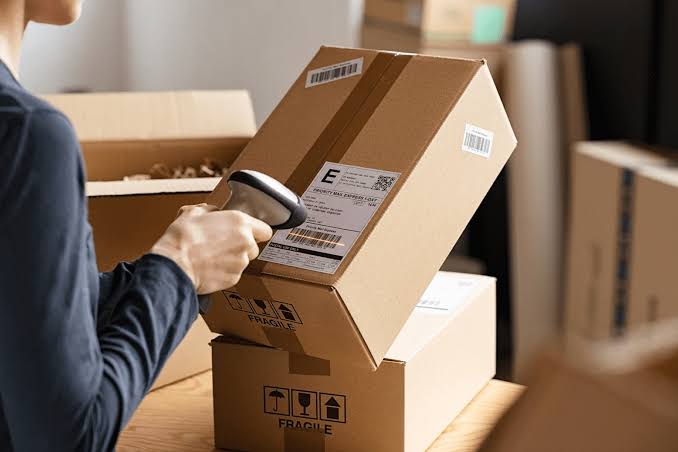
Point a phone at a shipping label, and in under a second the recipient’s name, the carrier, and the tracking number appear on screen. It looks effortless, and most of the time it is. But anyone who has run a busy mailroom knows the labels that matter most are rarely clean, flat, or perfectly printed.
Understanding what optical character recognition (OCR) does well, and where it still slips, is the key to judging any modern parcel management software that promises to automate intake.
Label scanning is one of AI’s most practical uses in everyday operations. It’s also one of the most overstated, so it’s worth separating the real gains from the marketing.
How AI Label Scanning Works
A label scan usually combines several different technologies. Barcode and QR code decoding reads the label’s machine-readable parts, which typically hold the tracking number. OCR converts printed text, such as names and addresses, into editable data. A layer of AI then interprets that text, working out which line is the recipient, which is the sender, and which belongs to the carrier.
The final step is matching. The software compares the extracted name against a directory of staff, residents, or students and suggests the most likely recipient.
Each stage can succeed or fail independently, which explains why a scan can capture a tracking number perfectly and still assign the parcel to the wrong person.
What OCR Gets Right
On standard printed shipping labels, modern OCR is highly reliable. Major carriers use consistent layouts, clear fonts, and print at sizes cameras handle well.
It also excels at speed. Logging a parcel by hand might take 30 to 60 seconds, while a scan takes a few. Across hundreds of deliveries a day, that difference adds up to hours.
Carrier detection is another strength. Label formats and tracking number patterns are distinctive enough that software can usually identify the carrier without staff input.
OCR is excellent at reading what’s printed. It’s less certain about what the printed words mean.
Where It Still Struggles
The weaknesses tend to appear at the edges of normal conditions:
- Handwriting. Handwritten labels, common on personal and international parcels, remain far less reliable than printed text.
- Physical damage. Crumpled, wet, or torn labels, and those wrapped around curved packaging, distort characters.
- Faded thermal printing. Thermal labels fade with heat and age, sometimes leaving text too faint to read.
- Glare and lighting. Shiny tape over a label or poor lighting in a mailroom can confuse the camera.
- Reused boxes. Old labels left on recycled packaging can cause the software to read the wrong address.
None of these are rare. In most mailrooms, they make up a small but steady share of daily deliveries.
The Hardest Part Isn’t Reading, It’s Matching
Even when OCR reads a name perfectly, the system still has to figure out who it refers to. This is where many errors happen.
Labels often show nicknames, maiden names, misspellings, or a company name instead of a person. A directory might contain two people called J. Smith. A student might order under a parent’s name. Good matching uses fuzzy logic to handle typos and variations, but no algorithm can resolve genuine ambiguity on its own.
| Scenario | What OCR Reads | Matching Challenge |
| Clean printed label | “Sarah Mitchell” | Usually straightforward |
| Nickname used | “Bob Turner” | Directory lists “Robert Turner” |
| Typo by sender | “Jon Pattersen” | Close to “John Patterson” |
| Shared surname | “A. Khan” | Several staff share that name |
| Company name only | “Northfield Design Ltd” | No individual recipient listed |
Why Confidence Scores Matter
Well-designed scanning systems don’t just return an answer. They show how confident they are. A high-confidence match can be accepted automatically, while a low-confidence one gets flagged for a quick human check.
This approach keeps the speed benefits for most parcels while catching the cases most likely to go wrong. Systems that present every result with the same certainty, whether the label was pristine or barely legible, push errors further down the line where they’re harder to fix.
The best scanning tools know when they might be wrong, and they say so.
Keeping a Human in the Loop
AI label scanning works best as an assistant, not a replacement. Staff confirm uncertain matches, correct misreads, and handle the occasional label no software could decipher.
Those corrections are also valuable data. When a system learns that “Bob Turner” means Robert Turner in a particular directory, future scans get faster and more accurate. Over time, the proportion of parcels needing manual review tends to shrink.
What to Look for When Evaluating Label Scanning
If you’re comparing tools, a short demo with perfect labels won’t tell you much. More useful questions include:
- How does it handle handwritten or damaged labels?
- Does it show confidence levels or flag uncertain matches?
- Can staff correct results quickly, and does the system learn from those corrections?
- How does it deal with duplicate names or company-only labels?
- Does it work on standard phones and tablets, or require dedicated hardware?
Testing with a batch of your own real deliveries, including the messy ones, gives a far more honest picture than any vendor benchmark.
Accuracy Is a System, Not a Feature
OCR on its own isn’t the whole story. Reliable label scanning comes from several pieces working together: clear text recognition, smart interpretation, careful matching, honest confidence scoring, and simple ways for people to step in.
Viewed that way, the question isn’t whether AI can read a label. It clearly can. The more useful question is how a system behaves when it can’t, because that’s where parcels get lost or found.