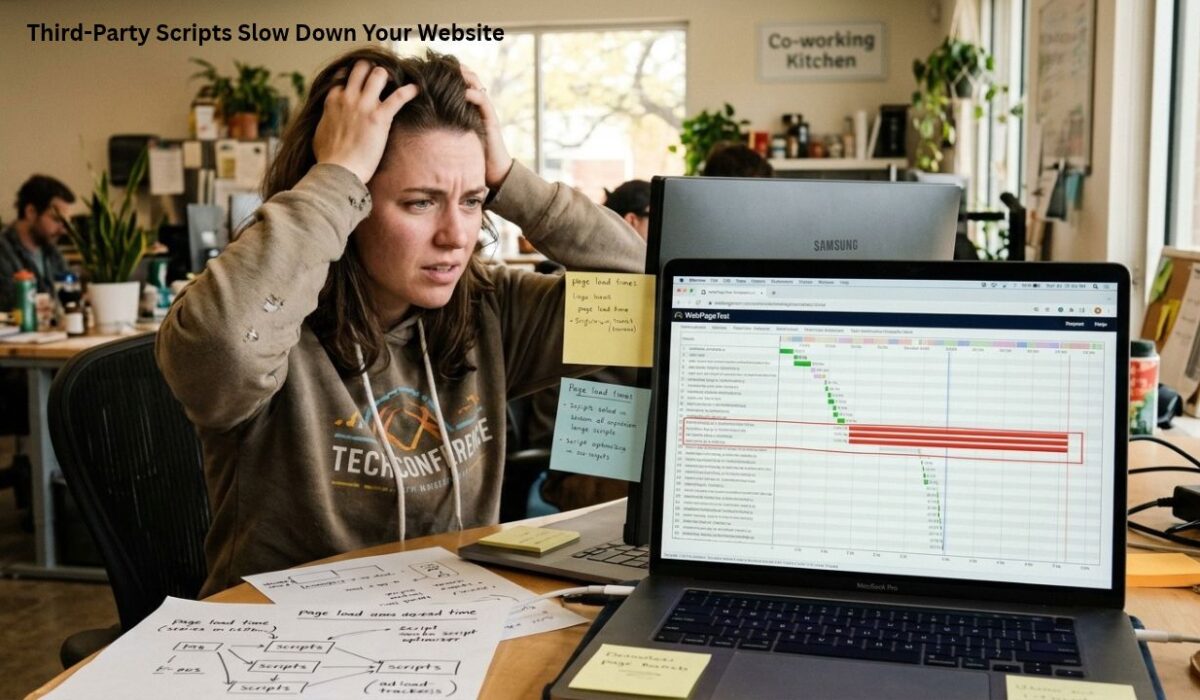
Third-party scripts are a normal part of modern websites. Analytics tools, advertising platforms, social media widgets, chat services, video players, tracking systems, and other external services can add useful features without requiring you to build everything yourself. However, every external script can also affect how quickly a page loads and becomes interactive.
The problem is not that third-party scripts are always bad. The real issue is how many scripts a website loads, when they load, what they do in the browser, and whether they are actually necessary.
For website owners, creators, and developers, understanding the impact of third-party scripts can make it easier to improve page speed without removing important functionality.
What Are Third-Party Scripts?
A third-party script is code loaded from a domain or service that is different from your own website’s primary domain.
For example, a website may load scripts from services used for:
- Google Analytics and other analytics platforms
- Advertising networks
- Social media embeds
- Live chat tools
- Video platforms
- Marketing and tracking systems
- Cookie and consent platforms
- Heatmaps and visitor-recording tools
- A/B testing services
- Embedded maps and external widgets
These services can provide valuable features, but the browser still has to download, process, and execute their code.
That work can increase the amount of time required before visitors can fully interact with the page.
How Third-Party Scripts Affect Website Speed
Third-party scripts can affect performance in several different ways.
1. They Add Extra Network Requests
When a page contains an external script, the browser may need to connect to another server and download additional resources.
One service can sometimes load multiple files rather than a single JavaScript file. If a page uses several external services, the number of requests can grow quickly.
The result is more network activity before the browser finishes loading everything required by the page.
The effect can be more noticeable for visitors using slower mobile connections or less powerful devices.
2. JavaScript Can Use Main-Thread Resources
Downloading a script is only part of the process.
After JavaScript arrives, the browser may need to parse and execute it. JavaScript execution uses the browser’s main thread, which is also responsible for handling many interactions and rendering tasks.
Large or complicated scripts can therefore compete with the work needed to display and make a page interactive.
This is particularly important when several third-party scripts execute during the initial page load.
3. Some Scripts Load Additional Resources
A third-party script may not stop after loading its initial JavaScript file.
It can request additional JavaScript, images, fonts, tracking resources, or other files. In some cases, one external service effectively creates a chain of additional requests.
This makes the original script’s impact larger than its initial file size might suggest.
4. They Can Delay Interactivity
A page may look almost finished while the browser is still processing JavaScript.
If visitors try to click a menu, button, form, or other interactive element while the main thread is busy, the interaction may feel delayed.
This is one reason a website can appear visually fast but still feel slow to use.
Common Third-Party Scripts That Affect Performance
Not every website uses the same collection of external services, but some categories appear frequently.
Analytics
Analytics tools help website owners understand traffic, visitors, and engagement. They are useful for measuring performance and user behavior, but they still require browser resources.
For many websites, analytics scripts are relatively small compared with advertising systems or complex widgets. However, using multiple analytics and tracking platforms can create unnecessary duplication.
Advertising
Advertising systems can have a significant performance impact because an advertising platform may load multiple resources, make additional network requests, and perform dynamic operations.
Websites that depend heavily on advertising should therefore pay particular attention to how and when ad-related scripts load.
Social Media Embeds
Embedded posts, feeds, videos, and social sharing tools can require considerably more resources than a simple link.
A social media embed may load JavaScript and other resources from the external platform before the embedded content becomes functional.
Using a normal link or lightweight alternative can sometimes provide a similar purpose with less overhead.
Live Chat
Chat services can be useful for businesses that need direct communication with visitors. However, chat widgets often remain active in the background and may load additional resources.
If live chat is not essential on every page, loading it only where visitors are likely to need it can reduce unnecessary work.
Video Embeds
Video platforms make it easy to add videos to a website, but a full embedded player can load more resources than a simple preview image.
For pages containing multiple videos, a lightweight preview that loads the actual player only after the visitor chooses to watch can be a better performance approach.
How to Find Which Third-Party Scripts Are Slowing Your Site

Before removing scripts, identify which ones are actually creating performance problems.
One useful starting point is Google PageSpeed Insights. A performance report can highlight JavaScript execution, network activity, and third-party code that contributes to page work.
Chrome DevTools can provide even more detail.
Open the Network panel and reload the page. You can then examine requests and identify resources coming from external domains.
The Performance panel can also help reveal long JavaScript tasks and periods when the browser’s main thread is heavily occupied.
The goal is not simply to find the largest file. A small script that triggers many additional operations may have a greater practical impact than a larger but efficiently loaded resource.
Should You Remove Third-Party Scripts?
Not necessarily.
Removing every external script would make some websites faster, but it could also remove important functionality.
Instead, evaluate every script by asking:
Does this service provide a feature that visitors actually need?
If the answer is no, removing it may be worthwhile.
If the answer is yes, look for ways to load it more efficiently.
For example, an analytics service may be important for measuring traffic, while a rarely used social widget may provide little value. These two scripts should not automatically receive the same performance priority.
Practical Ways to Reduce Third-Party Script Impact
Load Non-Essential Scripts Later
Scripts that are not required for the initial page experience can often be delayed until after the main content has loaded.
This allows the browser to prioritize the resources visitors need first.
Use async or defer Where Appropriate
For scripts that can be loaded without blocking the page, async or defer can change how the browser handles them.
They are not interchangeable, though. The correct approach depends on the script and whether other code depends on it.
Using these attributes without understanding script dependencies can also cause functionality problems.
Remove Unused Services
Audit your website periodically.
Old marketing experiments, abandoned analytics tools, unused widgets, and plugins that inject external scripts can remain on websites long after their original purpose has disappeared.
Removing unnecessary services is often one of the simplest performance improvements.
Load Scripts Only on Relevant Pages
A chat widget may be necessary on a contact or support page but unnecessary on a simple article.
Similarly, a booking script does not necessarily need to load across every page of a website.
Conditional loading can reduce unnecessary JavaScript for visitors who never use a particular feature.
Replace Heavy Embeds With Lightweight Alternatives
Instead of immediately loading a complete third-party player or widget, consider using a lightweight preview.
For example, a video thumbnail can provide a visual introduction and load the full player only when a visitor interacts with it.
This approach can be especially useful on pages containing several embedded elements.
Avoid Adding Multiple Tools for the Same Job
Sometimes performance problems come from duplication.
A website may use several analytics systems, multiple tracking tools, more than one optimization service, or several plugins that perform overlapping tasks.
Reducing duplication can simplify the page and reduce unnecessary browser work.
Third-Party Scripts and Core Web Vitals

Third-party code can influence several aspects of the user experience measured by Google’s Core Web Vitals.
Heavy JavaScript execution can contribute to slower responsiveness. Large external resources can also affect how quickly important content becomes visible.
The exact impact depends on the page, device, connection, and implementation.
This is why a performance audit should focus on real page behavior rather than simply following a checklist.
A website can have a relatively small number of scripts and still perform poorly if one of them creates substantial browser work.
Don’t Optimize by File Size Alone
A common mistake is to look only at JavaScript file size.
File size matters, but it is not the complete picture.
Consider these factors together:
- How much JavaScript is downloaded
- How many requests are generated
- How much JavaScript is executed
- How long execution takes
- Whether the script blocks important work
- Whether it creates additional requests
- Whether visitors actually need the feature
- Whether the script loads on every page
This broader view produces better optimization decisions than simply deleting the largest files.
A Simple Third-Party Script Audit
Website owners can use a simple process to review external scripts.
Step 1: Make a list of external services.
Identify analytics, advertising, chat, social, video, tracking, consent, and other external tools.
Step 2: Check where they load.
Determine whether each service loads across the entire website or only on relevant pages.
Step 3: Measure their impact.
Use PageSpeed Insights and browser developer tools to investigate network activity and JavaScript execution.
Step 4: Question their value.
Ask whether each service provides a feature that is genuinely useful to visitors or the business.
Step 5: Remove unnecessary services.
Delete tools that are no longer needed.
Step 6: Optimize the remaining scripts.
Where possible, delay non-critical scripts, load them only when needed, and use lighter alternatives.
Step 7: Test again.
Run another performance test after making changes. Do not assume an optimization worked simply because the code looks cleaner.
The Goal Is Better Performance, Not Zero Scripts
Modern websites need JavaScript. Analytics, accessibility features, forms, media players, ecommerce functionality, and other tools can all depend on it.
The objective is therefore not to create a website with zero third-party scripts.
The better goal is to make sure every external service has a clear purpose and does not interfere unnecessarily with the visitor’s initial experience.
A smaller number of carefully managed scripts is generally easier to maintain, troubleshoot, and optimize than a collection of external tools added over time without regular review.
Final Thoughts
Third-party scripts can add useful features to a website, but they also introduce additional downloads, browser processing, and potential delays. The impact becomes more noticeable when a page loads many external services at the same time.
The best approach is not to remove every third-party tool. Instead, identify what each script does, measure its actual impact, remove unnecessary services, and delay non-critical resources where appropriate.
For website owners focused on speed, the most valuable question is simple: Does this script provide enough value to justify the performance cost?
Regularly asking that question can help keep a website faster as new plugins, marketing tools, widgets, and integrations are added over time.
Frequently Asked Questions
Do third-party scripts slow down websites?
They can. Third-party scripts may add network requests, consume browser resources, execute JavaScript, and load additional resources. The actual impact depends on the number and complexity of the scripts.
Should I remove all third-party scripts?
No. Some third-party services provide important functionality. The better approach is to identify unnecessary scripts and optimize the ones that provide real value.
How can I find third-party scripts on my website?
Google PageSpeed Insights and Chrome DevTools can help identify external resources and JavaScript activity. The browser’s Network panel is particularly useful for finding requests made to external domains.
Does delaying third-party JavaScript improve performance?
It can, especially when non-essential scripts are moved away from the critical loading path. However, the correct implementation depends on what the script does and whether other functionality depends on it.
Can third-party scripts affect Core Web Vitals?
Yes. Depending on their behavior, third-party scripts can contribute to slower loading, increased JavaScript work, and delayed responsiveness. The effect varies between websites and devices.
What is the easiest third-party script optimization?
Start by removing services you no longer need. Then check whether remaining scripts can be delayed, loaded only on relevant pages, or replaced with lighter alternatives.