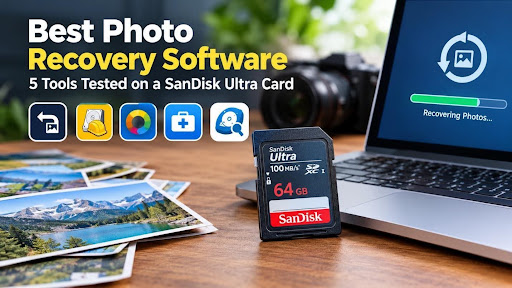
Most “best photo recovery software” lists are written by people who never deleted a single photo by themselves, they are just using AI help or rephrasing the already published content and reposted under their names without actual testing or adding any unique value. So we did it ourselves. We took a 64 GB SanDisk Ultra card holding 2,028 JPEGs and 387 RAW files, deleted the photos, and ran five recovery tools against the exact same mess.
The short version: two tools brought back every photo intact. Stellar Photo Recovery was the fastest of the five, finishing in 10 minutes 38 seconds. Recuva matched it on results and costs nothing, but took a couple of minutes longer. The other three left us with hundreds of photos that wouldn’t open, and two of them returned our RAW files as tiny thumbnails instead of full images.
Here’s how each one did, and which one we’d pick depending on your situation.
How we ran photo recovery test?
The card was a 64 GB SanDisk Ultra with 2,028 JPEG photos, 387 RAW photos and 814 videos on it. We deleted the files, then pointed each tool at the card one after another. Nothing new was written to the card between runs, and every tool recovered to the laptop’s internal drive rather than back onto the card.
The laptop was nothing special, which is the point. It’s the kind of machine most people would actually use for this:
- Intel Core i5-8265U at 1.8 GHz
- 16 GB RAM
- 466 GB internal storage
- Windows 11 Pro, version 24H2
We judged the tools on photos recovery only. For each one we noted the scan time, whether the recovered JPEGs actually opened, whether file names and folders survived, what happened to the RAW files, and whether we could preview photos before paying.
One thing worth saying up front: “found” and “recovered” are not the same. Several tools happily listed thousands of files that turned out to be grey boxes or broken images once we opened them. We only counted a photo as recovered if it opened properly.
Quick summary of test results
| Tool (version) | Scan time | Photos that opened | Names and folders kept | RAW files came back as | Preview before paying | Free limit | Price |
| Stellar Photo Recovery (12.6.0.0) | 10 min 38 s | All of them | Yes | Full images + thumbnails | Yes | 10 files | $49.99/year |
| Recuva (1.55.133) | 12 min 16 s | Most of them | Yes | Full images + thumbnails | Yes | Fully free | Free |
| PhotoRec (7.2) | 13 min 42 s | All but 88 not working | No | Thumbnails only | No | Fully free | Free |
| EaseUS Data Recovery Wizard (20.9) | 15 min 17 s | 327 of 2,028 JPEGs failed | Yes | Thumbnails only | Yes | 500 MB | $99.95/year |
| DiskInternals Uneraser (8.26) | 18 min 02 s | Only 165 working | Yes | Thumbnails only | Yes | Paid only | $29.95/year |
What each photo recovery tool actually did?
Stellar Photo Recovery
Stellar Photo Recovery software finished first, at 10 minutes 38 seconds, and every JPEG it recovered opened without a problem. Our file names and folder layout came back as they were which matters more than it sounds when you are sorting 2,000 holiday shots afterwards.
The RAW files were the real test, and Stellar passed it. We got the full-size RAW images back, plus their embedded thumbnails as separate files. If you shoot RAW, that’s the difference between getting your photo back and getting a small preview of it.
The catch is the free version. It lets you scan and preview everything, but only saves 10 files. For a full recovery, you will need the paid license at $49.99 a year.
Recuva
Recuva surprised us. It’s free, it’s been around for years, and on this test it matched Stellar photo for photo: every JPEG opened, names and folders survived, and RAW files came back full size.
It was about a minute and a half slower, which hardly matters. If your photos were simply deleted from a healthy card, Recuva is hard to argue with. Bear in mind we only tested plain deletion here, which is the easiest case for any tool.
PhotoRec
PhotoRec is free, open source and respected for good reason. It found most of our photos, but 88 of them wouldn’t open. The bigger problem is what you get back: every file loses its original name and folder, so you end up with thousands of files named like f1234567.jpg.
RAW files came back as thumbnails only. There’s also no preview, so you don’t know what you’ve got until the scan finishes and you start opening files one by one.
EaseUS Data Recovery Wizard
EaseUS has the most polished interface of the group, and file names and folders came through fine. But 327 of the 2,028 JPEGs wouldn’t open after recovery, which is about one in six. RAW files came back as thumbnails only.
The free version recovers up to 500 MB, which won’t cover much of a full camera card. At $99.95 a year it was also the most expensive tool we tested.
DiskInternals Uneraser
Uneraser was the slowest at just over 18 minutes, and it gave us the weakest results. Only 165 recovered photos opened properly. RAW files were thumbnails only.
You can preview before paying, but there’s no free recovery at all. At $29.95 a year it’s the cheapest paid option, though on this test that didn’t buy much.
Which is the best photo recovery for you?
It depends mostly on what kind of photos you lost and how much you’re willing to spend.
You shoot RAW and need the full files back. Stellar or Recuva. They were the only two that returned full-size RAW images; the other two gave us thumbnails. Stellar was the quicker of the two.
You lost a handful of JPEGs and don’t want to pay. Start with Recuva. If you only need a few photos, Stellar’s free version also covers up to 10 files.
You’re comfortable with technical tools and don’t mind sorting. PhotoRec works, but plan on an afternoon of renaming and opening files to see what’s what.
You’ve already tried a free tool and it failed. Run Stellar’s free scan before paying for anything. The preview shows you exactly which photos are recoverable, so you only buy a licence if your photos are actually there.
We’d skip EaseUS and DiskInternals for photo recovery based on this test. Both kept file names well, but too many photos simply didn’t open.
FAQ
Can deleted photos really be recovered from an SD card? Usually, yes. Deleting a photo marks its space as free but leaves the data in place until something new is written over it. That’s why you should stop using the card straight away.
Which tool recovered the most photos in your test? Stellar Photo Recovery and Recuva. Both brought back every JPEG in working condition, along with full-size RAW files. Stellar was faster, at 10 minutes 38 seconds.
Is free photo recovery software good enough? For plain deleted files, it can be. Recuva matched the best paid result in our test. PhotoRec also works, but loses file names and folders and only returned RAW files as thumbnails.
Why do some recovered photos not open? The tool found traces of the file but couldn’t rebuild it fully. In our test, EaseUS returned 327 JPEGs that wouldn’t open and DiskInternals only produced 165 that did. Always check a sample before assuming the job is done.
Can I recover RAW photos, or only JPEGs? RAW files can be recovered, but tool choice matters a lot. Only Stellar and Recuva gave us full RAW images. The others recovered just the small preview embedded inside each RAW file.
Should I recover photos back to the same SD card? No. Save them to your computer or another drive. Writing to the card during recovery can overwrite the very photos you’re trying to get back.