Quick Answer
API stands for Application Programming Interface. It is a defined set of rules that lets one piece of software ask another piece of software for data or an action, without needing to know how the other system works inside. When a weather widget on your site shows today’s forecast, it sends a request to a weather provider’s API and gets back a structured reply, usually in JSON format. Most web APIs run over HTTP and follow the REST style, though GraphQL, SOAP, and webhooks are also common. For site owners and SaaS founders, APIs matter because they decide how fast you can integrate tools, how much you pay through rate limits and per-call pricing, and how much of your product depends on someone else’s uptime.
Key Takeaways
- Definition: An API is a contract between two programs. One side asks in an agreed format, the other side answers in an agreed format.
- Cost: Many APIs look free at first, then charge per request once you pass a monthly limit. Check the rate limit and overage price before you build anything on top of them.
- Risk: Every API you depend on is a business dependency. If the provider changes terms, raises prices, or shuts down an endpoint, your feature breaks too.
I have watched founders lose a weekend to one misunderstood API. The tool looked simple, the docs looked friendly, and then a rate limit hit at 3 a.m. and their signup form stopped working. Knowing what an API is, and what it costs you, saves real time and real money.
This guide explains the term from scratch, shows how a request actually travels, compares the main API styles, and covers the traps that documentation rarely mentions. It is written for web creators, SaaS founders, and publishers who use APIs daily but may never have had them explained properly.
What Does API Mean?
API stands for Application Programming Interface. “Application” is any software. “Programming” means developers write code that uses it. “Interface” is the meeting point where two systems talk.
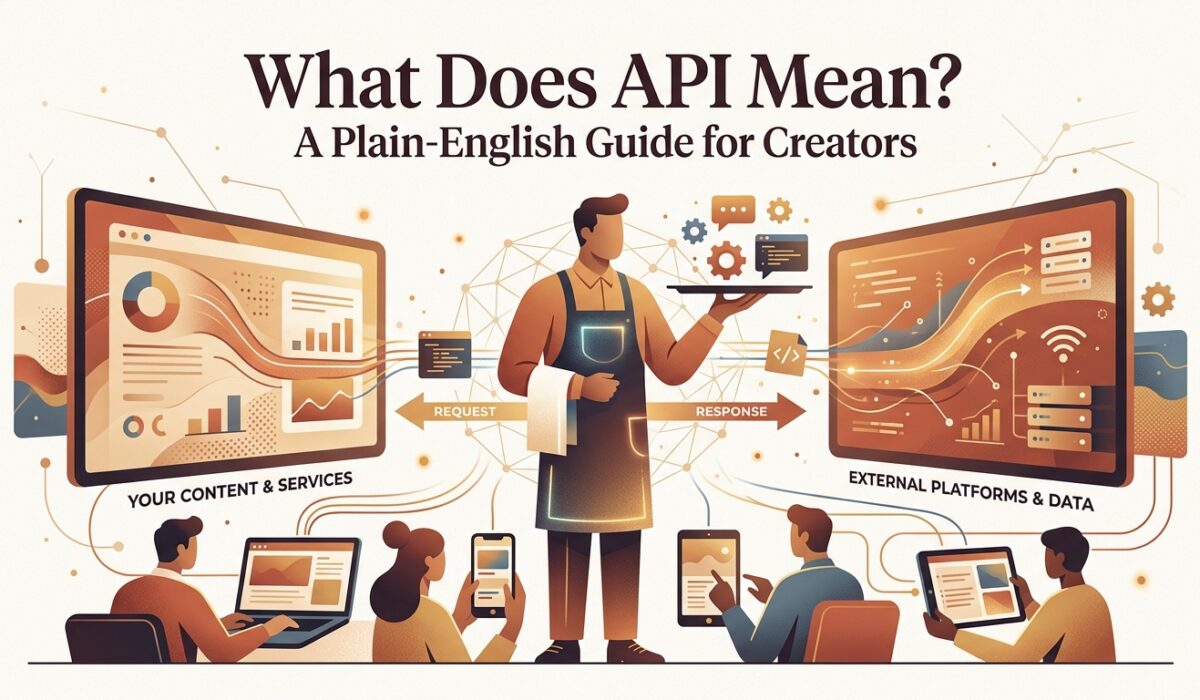
The simplest way to picture it is a waiter in a restaurant. You do not walk into the kitchen and cook your own meal. You tell the waiter what you want, the waiter carries the order to the kitchen, and the kitchen sends food back through the same waiter. The API is the waiter. It takes a request in a set format and returns a response in a set format.
The kitchen stays hidden. You never see the database, the servers, or the code behind the service. You only see the menu, which is the API documentation, and the results. This hidden-kitchen design is the whole point. It lets a company change its internals without breaking every customer that uses it.
The formal definition is short. Mozilla describes an API as a set of features and rules that exist inside a software system so other software can interact with it. You can read that in MDN’s API glossary entry. Everything else in this article is detail built on that idea.
How an API Request Actually Works
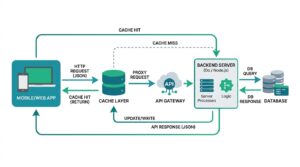
A web API call has four parts. Once you see them, most documentation stops looking scary.
The first part is the endpoint. This is a URL that points to a specific resource, such as a list of blog posts or a single customer record. Think of it as the address of the counter you are speaking to.
The second is the method. It tells the server what you want to do. GET reads data. POST creates something new. PUT or PATCH updates something. DELETE removes it. These verbs come from HTTP, the same protocol your browser uses to load pages.
The third is the headers and body. Headers carry information about the request, such as your API key and the format you expect back. The body carries the actual data when you are sending something, like a new user’s email address.
The fourth is the response. The server replies with a status code and usually a block of data. A 200 code means success. A 404 means the resource does not exist. A 401 means your credentials failed. A 429 means you sent too many requests and must wait. A 500 means the server itself has a problem.
Most modern APIs return data as JSON, a lightweight text format that both humans and programs can read. A response might contain a post title, an author name, and a publish date, each labeled clearly. Your site takes those labeled pieces and places them into your page design.
Real Examples You Already Use
You touch APIs constantly, even if you never write code. Seeing where they hide makes the concept concrete.
When you embed a Google Map on a contact page, your site calls the Maps API. When a customer pays with Stripe or PayPal, your checkout talks to a payment API. When a newsletter form sends an email address to Mailchimp or ConvertKit, that is an API call. Login buttons that say “Continue with Google” rely on an authorization API.
Publishers use them too. A WordPress site uses its built-in REST API so a mobile app or a separate front end can pull posts. Analytics dashboards pull traffic numbers from Google Search Console through an API, so you can build reports without exporting spreadsheets by hand.
SaaS founders lean on them even more. A typical small SaaS product might use one API for payments, one for email delivery, one for authentication, one for file storage, and one for error tracking. That is five external dependencies before a single customer signs up.
The Main Types of APIs
APIs are grouped in two ways: who can use them, and how they are built. Both matter when you choose one.
By Access Level
Public APIs are open to any developer, usually after signing up for a key. Weather, maps, and payment services fall here. Partner APIs are shared only with approved business partners under an agreement. Private APIs are internal. A company builds them so its own apps and teams can talk to each other, and outsiders never see them.
By Architecture Style
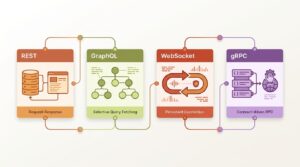
REST is the most common style on the web. It treats everything as a resource with a URL and uses standard HTTP methods. It is simple, cacheable, and easy to test in a browser. The style was defined in Roy Fielding’s REST dissertation at UC Irvine in 2000, and it still shapes how most public APIs look today.
GraphQL lets the client ask for exactly the fields it wants in a single request. That reduces wasted data, which helps mobile apps on slow connections. The trade-off is a steeper learning curve and more work on the server side.
SOAP is an older, stricter style that uses XML. Banks, insurers, and some government systems still run on it. You will meet it when integrating with legacy enterprise software, and it is rarely fun.
Webhooks flip the direction. Instead of your app asking “anything new?” every minute, the other service sends your app a message the moment something happens. A payment provider telling your server “this invoice was paid” is a webhook.
| API Style | Best For | Speed and Overhead | Common Cost Trap |
|---|---|---|---|
| REST | General web integrations, CMS, payments | Fast, easy to cache | Per-request billing after free tier |
| GraphQL | Mobile apps, complex data needs | Fewer round trips, heavier server work | Costly queries can hit complexity limits |
| SOAP | Banking, insurance, legacy enterprise | Slower, verbose XML | Long setup time and specialist help |
| Webhooks | Real-time events, payment confirmations | Instant delivery, no polling | Missed events if your server is down |
The table simplifies things, since real pricing depends on each provider. Always read the current pricing page of the specific service before you commit.
Why APIs Matter for Web Creators and Publishers

An API lets you build features without building the underlying system. You do not need to write a payment processor, a mapping engine, or an email delivery network. You rent them through an API and spend your time on what makes your site different.
For publishers, this means faster growth with a small team. A single developer can connect a newsletter tool, an analytics platform, a comment system, and an ad network in a week. Ten years ago that took a full engineering department.
APIs also make your content portable. If your CMS exposes posts through an API, the same articles can appear on your website, a mobile app, a partner’s site, and a voice assistant. You write once and distribute many times.
There is a search angle as well. Google’s own guidance on AI features in Search explains that content needs to be helpful and technically accessible to appear in AI-powered results. Clean structured data, often delivered through APIs and schema markup, makes that job easier.
Where APIs Cost You Money and Time

This is the part most tutorials skip. APIs are convenient, and convenience has a price.
Rate limits. Nearly every API caps how many requests you can send per minute, hour, or month. Free tiers are often generous enough to test, then tight enough to hurt in production. A sudden traffic spike from a viral post can push you over the cap and trigger errors for real visitors.
Per-call pricing. Some services charge by the request, by the record, or by the amount of data returned. A feature that costs pennies with 100 users can cost hundreds with 100,000. Model your cost at ten times your current traffic before you build.
Vendor lock-in. Once your product depends on one provider’s API, switching means rewriting code, migrating data, and retesting everything. Providers know this, which is why some raise prices after customers are deeply integrated.
Version changes. APIs evolve. A provider announces that version 2 will be retired in six months, and suddenly you have a deadline you did not choose. Track the changelog of every service you depend on.
Downtime. When their server fails, your feature fails. You cannot fix it. You can only plan for it with fallbacks and clear error messages.
Practitioner Tip
Never call a third-party API directly from every page load. Cache the response on your own server for a sensible period, such as five or ten minutes for weather data or an hour for a follower count. This cuts your request volume sharply, keeps you under rate limits, and keeps your pages fast even when the provider is slow. It is the cheapest optimization I know, and it has saved more than one billing surprise.
API Security Basics You Should Not Skip

Most API breaches are boring. Someone leaves a key where it should not be.
An API key is a password for your application. Treat it exactly like one. Never paste it into front-end code that visitors can view, and never commit it to a public repository. Automated bots scan public code hosting sites for exposed keys around the clock, and a leaked payment or cloud key can be abused within minutes.
Store keys in environment variables on your server. Give each key the minimum permissions it needs. If a key only has to read data, do not give it write access. Rotate keys on a schedule and immediately after any suspected leak.
Use HTTPS for every call. Validate any data that comes back before you trust it or display it. And when you build your own API, add authentication, rate limiting, and logging from day one, since retrofitting them later is painful.
How to Read API Documentation Without Getting Lost

Good documentation follows a pattern. Learn the pattern and every new API becomes faster to learn.
Start with the authentication section. It tells you how to get a key and where to place it in requests. Next, find the quickstart or “first request” example. Run it exactly as written to confirm your key works before you change anything.
Then read the rate limits and pricing pages. Do this before you write real code, not after. Look for the error codes list, because you will need it the first time something breaks. Finally, check for an official SDK, a ready-made code library for your language, which saves time compared with writing raw requests.
Tools like Postman or Insomnia let you send test requests without writing code, which is a fast way to explore an API before committing to it. If the provider publishes an OpenAPI specification, many of these tools can import it and build the full request list automatically.
Common Mistakes Beginners Make
Skipping the pricing page. The free tier is a demo, not a plan. Read what happens at the limit.
Ignoring error handling. Code that assumes every call succeeds will crash the first time a provider has a bad day. Plan for 429 and 500 responses, and show visitors a friendly fallback.
Hardcoding everything to one provider. Wrap the API in your own small layer of code. If you switch providers later, you change one file instead of fifty.
Requesting too much data. Ask only for the fields you need. Smaller responses load faster and cost less.
Forgetting documentation drift. Docs and reality sometimes disagree. When they do, trust the actual response and report the gap.
How to Decide Whether to Use an API
Ask four questions before you connect any service.
- Is this feature core to my product? If yes, think hard about dependence, since a core feature that lives on someone else’s server is a serious risk.
- What does it cost at ten times my traffic? If the answer scares you, look for alternatives or plan a cap.
- Can I switch providers in under a month? If not, add an abstraction layer now.
- What happens to my site when this API fails? If the answer is “everything breaks,” add a fallback.
For non-core features such as a comment system, a chat widget, or an email sender, using a well-established API is almost always the right call. For the thing customers pay you for, keep as much control as your team can manage.
Final Thoughts
An API is a contract that lets software talk to software. That single idea explains payments on your checkout page, posts on your mobile app, and traffic numbers in your dashboard.
The concept is easy. The decisions around it are where experience counts: read the pricing first, cache what you can, protect your keys, and never build a core feature on a dependency you cannot replace. Follow those habits and APIs become a tool that saves you months of work instead of a source of surprise bills and broken pages.
Frequently Asked Questions
What does API stand for?
Application Programming Interface. It describes the rules that let separate software programs communicate.
Is an API the same as a website?
No. A website is built for humans and shows pages. An API is built for programs and returns raw data, such as JSON.
Do I need to know coding to use an API?
Not always. Many no-code tools, such as Zapier and Make, connect APIs through visual menus. Custom work does need a developer.
What is the difference between an API and a webhook?
With an API, your app asks for data when it wants it. With a webhook, the other service sends data to your app when an event happens.
Are APIs free?
Some are, most have a free tier with limits, and many charge once you pass those limits. Always check current pricing.
What is an API key?
A unique code that identifies your application to the provider. It works like a password and must stay private.